Complete Webflow SEO Checklist for Better Rankings
.avif)
.png)
.png)

.png)
.png)
.svg)
A Webflow SEO Checklist is a structured, step-by-step framework to optimize your Webflow site for higher search engine rankings, more organic traffic, and better visibility. Are you spending hours designing your Webflow site only to watch it sit on page three? Wondering why competitors with worse-looking sites outrank you? This guide gives you every optimization layer, in order.
Webflow SEO is more than setting a page title. It covers your site architecture, content quality, page performance, and how Google crawls every single URL. Miss one layer and you leave rankings on the table.
Quick Answer — What is a Webflow SEO Checklist?
- Definition: A step-by-step framework to optimize a Webflow site for search engines, covering technical setup, on-page content, CMS structure, and performance
- Key areas: Technical SEO, on-page optimization, Webflow CMS SEO, page speed, and analytics tracking
- Time to results: SEO typically shows meaningful gains in 3-6 months with consistent effort
- Best starting tool: Google Search Console (free) paired with Webflow's native SEO settings
- Primary keyword: Webflow SEO Checklist
Key Stats
- Sites meeting all Core Web Vitals thresholds are 2.3x more likely to appear in the top 3 search results — web.dev/vitals
- 60% of Google searches occur on mobile, making mobile-first design non-negotiable — Google Search Central
- Sites optimizing Core Web Vitals saw an average +28% increase in organic traffic
- 43% of websites still fail Google's INP threshold of 200ms in 2026 — White Label Coders
What is a Webflow SEO Checklist? A Webflow SEO Checklist is a structured set of technical, on-page, content, and performance optimizations you apply to your Webflow site to rank higher in search results. It covers everything from meta titles and XML sitemaps to page speed and structured data, giving you a repeatable system to compete for organic traffic consistently.
Webflow SEO Checklist Roadmap:
- Configure foundational settings: meta titles, meta descriptions, SSL, and indexing controls
- Optimize on-page elements: heading hierarchy, keyword placement, alt text, and internal linking
- Fix technical SEO: XML sitemaps, robots.txt, canonical tags, and 301 redirects
- Set up Webflow CMS with dynamic meta fields, SEO-friendly URLs, and topic clusters
- Improve page speed and Core Web Vitals (LCP under 2.5s, INP under 200ms, CLS under 0.1)
- Connect Google Search Console and GA4, then run a monthly SEO audit
What Is a Webflow SEO Checklist?
A Webflow SEO Checklist is a step-by-step framework used to optimize a Webflow website for better search engine visibility, improved rankings, and higher organic traffic. It bridges the gap between a visually polished site and one that actually gets found on Google.
Definition: A Webflow SEO checklist is a systematic set of optimizations covering technical setup, on-page content, performance, and analytics that you apply so search engines can crawl, understand, and rank your Webflow site effectively.
Most Webflow users pour energy into design and forget the other half of the equation. A beautiful site that Google can't properly crawl won't rank, no matter how strong the visuals are.
Webflow supports SEO natively, including clean semantic HTML output, editable meta titles and meta descriptions, custom URL slugs, XML sitemap auto-generation, and schema markup support. But having the tools available is not the same as using them correctly.
Following a structured checklist matters because:
- It prevents the most common Webflow SEO mistakes, like missing canonical tags or duplicate CMS pages
- It ensures technical SEO and on-page optimization work together, not in isolation
- It creates a repeatable system you can run at every launch or content update
Bottom line: Designing a site and optimizing it for search are two different disciplines. Your Webflow SEO Checklist is what connects them.
Why Webflow SEO Matters in 2026
Webflow SEO has become a genuine competitive advantage for businesses that apply it correctly. Organic search remains the highest-ROI traffic channel, but the competition sharpens every year.
Google's 2026 algorithm updates increased the weight of page experience signals, including Core Web Vitals, mobile usability, and page speed. If your Webflow site loads slowly or fails mobile checks, it gets pushed down regardless of your content quality.
Three trends are reshaping what it means to rank in 2026:
- AI-powered search results now extract answers directly from pages, rewarding structured, well-formatted content
- Mobile-first indexing means Google ranks the mobile version of your site, making responsive design non-negotiable
- User experience signals like dwell time, bounce rate, and engagement are now factored into ranking decisions
Businesses choose Webflow for SEO performance because it outputs clean, semantic HTML, hosts on a fast global CDN, and gives you granular control over every SEO setting. When those strengths are paired with a disciplined technical SEO approach, Webflow sites compete at the top of search results.
Long-term organic traffic also compounds. One well-ranked page can drive leads for years. That's the kind of return paid ads can't replicate.
Set Up Basic Webflow SEO Settings Correctly
Your first step in any Webflow SEO Checklist is locking in foundational settings before your site goes live. These take under an hour to configure and pay off permanently.
SEO Titles and Meta Descriptions
Every page needs a unique meta title (under 60 characters) and meta description (under 160 characters). In Webflow, set these under Page Settings for static pages or via CMS Collection settings for dynamic pages. Include your primary keyword in both.
URL Slugs and Clean Structure
Short, descriptive URLs outperform long, parameter-heavy ones. Set slugs manually in Webflow rather than accepting auto-generated ones from your page title. For example, /webflow-seo-checklist beats /page?id=234&ref=blog
SSL and Indexing Controls
Enable SSL (HTTPS) under Webflow Hosting. It's a confirmed Google ranking signal and builds visitor trust. Block indexing on your .webflow.io staging domain so Google doesn't index duplicate content from your preview URL.
Social Share Images and Language
Add Open Graph images (1,200 x 630px) and set the correct language attribute under Project Settings. These don't directly affect rankings but improve click-through rates from social platforms and signal locale to crawlers.

Alt text: "Webflow page settings panel showing SEO title, meta description, and URL slug fields for on-page optimization"
Bottom line: Get these settings right before launch and you won't spend weeks cleaning up indexing problems after the fact.
Optimize On-Page SEO in Webflow
On-page SEO is where your content and keyword strategy meet your Webflow structure. If technical SEO is your foundation, on-page optimization is what tells Google what each page is actually about.
Heading Hierarchy
Use one H1 per page containing your primary keyword. Structure the rest with H2s for main sections and H3s for subtopics. Webflow's Designer makes it easy to set heading levels visually, but always verify the hierarchy in the Navigator panel.
Keyword Placement Best Practices
Place your primary keyword in the first 100 words, the H1, at least one H2, and the meta title. A natural density of 1-2% reads better and ranks better. Avoid keyword stuffing, which Google actively penalizes.
Alt Text for Images
Every image needs descriptive alt text. This helps Google understand your visual content, improves accessibility for screen readers, and supports image search rankings. In Webflow, add alt text directly in image settings. For CMS images, create a dedicated alt text field in your collection schema so every item is covered automatically.
Internal Linking Strategies
Build a strong internal linking structure by connecting high-traffic pages to pages you want to rank. This distributes link equity and helps Google crawl your site more thoroughly. For Webflow CMS blogs, link from recent posts back to your cornerstone pages consistently.
For a broader look at improving how visitors engage with your site, this guide on how to improve website user experience covers the UX side of the equation in detail.
Improve Technical SEO for Your Webflow Website
Technical SEO covers everything search engines need to crawl, index, and rank your site, even if none of it is visible to your visitors.
XML Sitemap
Webflow automatically generates an XML sitemap at yourdomain.com/sitemap.xml. Submit it to Google Search Console immediately after launch to accelerate indexing. Review it monthly to confirm CMS pages are included and no staging URLs are leaking in.
Robots.txt Configuration
Webflow auto-generates a robots.txt file. Customize it under Project Settings > SEO to block pages you don't want crawled, such as thank-you pages or internal admin tools. Keeping crawl budget focused on your real content pages improves how efficiently Google indexes your site.
Canonical Tags
Use canonical tags to prevent duplicate content issues, especially in CMS collections where category and tag filters can create multiple URL paths to the same item. Webflow supports canonical URL settings per page and per CMS template.
301 Redirects
Set up 301 redirects in Webflow's Redirect Manager whenever you change a URL slug. Broken redirect chains erase your accumulated ranking history and create frustrating dead ends for visitors. This takes two minutes to do and saves months of ranking recovery.
Structured Data and Schema Markup
Adding structured data via JSON-LD tells Google what type of content a page contains, whether that's a blog post, FAQ, product page, or organization profile. Webflow doesn't inject schema automatically, so embed JSON-LD in the <head> of relevant pages via a custom code block. Validate your markup with Google's Rich Results Test.
Watch: Webflow SEO Full Step by Step Guide to Rank #1 in 2025
Original Insight: The Hidden Duplicate URL Problem in Webflow CMS
When you use Webflow CMS with category or tag filtering, the same CMS item can appear at multiple URL paths. Without explicit canonical tags, Google may split link equity across these duplicates, quietly diluting your rankings. This is one of the most common and least visible technical SEO problems on Webflow sites, especially once your CMS scales past 50 collection items. Fix it at the collection template level, not page by page.
Bottom line: Technical SEO is the infrastructure beneath your content strategy. Fix it once, maintain it consistently, and it compounds your results across every page on your site.
Optimize Webflow CMS for SEO
Webflow CMS is one of the platform's strongest SEO assets, but only if you build it with search in mind from the start.
Dynamic Meta Titles and Descriptions
Create dedicated fields in your CMS collection for SEO title and meta description. Map these to the collection template's SEO settings so every blog post, case study, or product page gets unique, keyword-optimized metadata automatically. Never rely on Webflow auto-populating these from your item name.
Optimizing CMS URLs and Categories
Set your collection URL structure to /blog/[slug] and keep slugs short and descriptive. Avoid auto-generated slugs based on full post titles, as they include stop words and become unnecessarily long. Category pages should also have their own optimized meta titles.
Collection Pages for Topical Authority
Build topic clusters using Webflow CMS collections. A central pillar page covers a broad topic, individual CMS items go deep on related subtopics, and all items link back to the pillar. This signals topical authority to Google and improves rankings across the entire cluster, not just individual posts.
Managing Duplicate CMS Pages
If your CMS items are accessible via multiple URLs due to category filtering, set canonical tags pointing to the primary URL on every collection template. Also avoid publishing CMS items with near-identical content, as they dilute your crawl budget and compete with each other in search.
For a full breakdown of how Webflow CMS collections work, including item limits and scaling strategies, see Webflow CMS Limits and How to Utilize Them Effectively.
Improve Webflow Website Performance and UX
Page speed is a direct ranking factor. Google uses Core Web Vitals as part of its Page Experience signal, and your Webflow site is not automatically fast just because the platform is well-built.
Core Web Vitals Targets
According to web.dev/vitals, the thresholds Google uses are:
- LCP (Largest Contentful Paint): Under 2.5 seconds
- INP (Interaction to Next Paint): Under 200ms
- CLS (Cumulative Layout Shift): Under 0.1
Sites hitting all three are 2.3x more likely to rank in the top 3 results. Yet 43% of websites still fail the INP threshold in 2026, making this your biggest differentiation opportunity.
Image Compression and Lazy Loading
Compress all images before uploading using tools like Squoosh or TinyPNG. Enable lazy loading on below-the-fold images natively in Webflow's image settings. Large, uncompressed images are the single biggest cause of slow LCP scores on Webflow sites.
Reducing Animations and Scripts
Webflow Interactions are visually powerful but computationally expensive. Reduce or remove heavy scroll-triggered animations on mobile breakpoints. Audit third-party scripts (chat widgets, pixels, analytics) and load non-critical ones asynchronously or defer them until after page load.
Mobile Optimization Strategies
Design and test every breakpoint in Webflow's Designer. Your mobile experience is what Google actually crawls and ranks via mobile-first indexing. As Google Search Central confirms, 60% of all searches happen on mobile.
Watch: SEO tools to improve site rankings and performance — Webflow tutorial
Track and Monitor Webflow SEO Performance
You can't improve what you don't measure. Connecting your Webflow site to the right tracking tools is a non-negotiable step in any Webflow SEO Checklist.
Google Search Console
Connect your site to Google Search Console immediately after launch. It shows which queries drive impressions and clicks, flags indexing issues, and surfaces Core Web Vitals failures by page. Submit your XML sitemap here to accelerate crawling.
Google Analytics 4
Set up GA4 to track user behavior, engagement rates, and conversion events. Understanding which pages drive the most organic sessions helps you prioritize where to invest your optimization time and content effort.
Keyword Rankings and SEO Audits
Run a monthly SEO audit using tools like Ahrefs, Semrush, or Screaming Frog. Monitor keyword ranking changes, check for broken internal linking, and flag new indexing issues as soon as they appear. Review your Core Web Vitals report in Search Console at least quarterly.
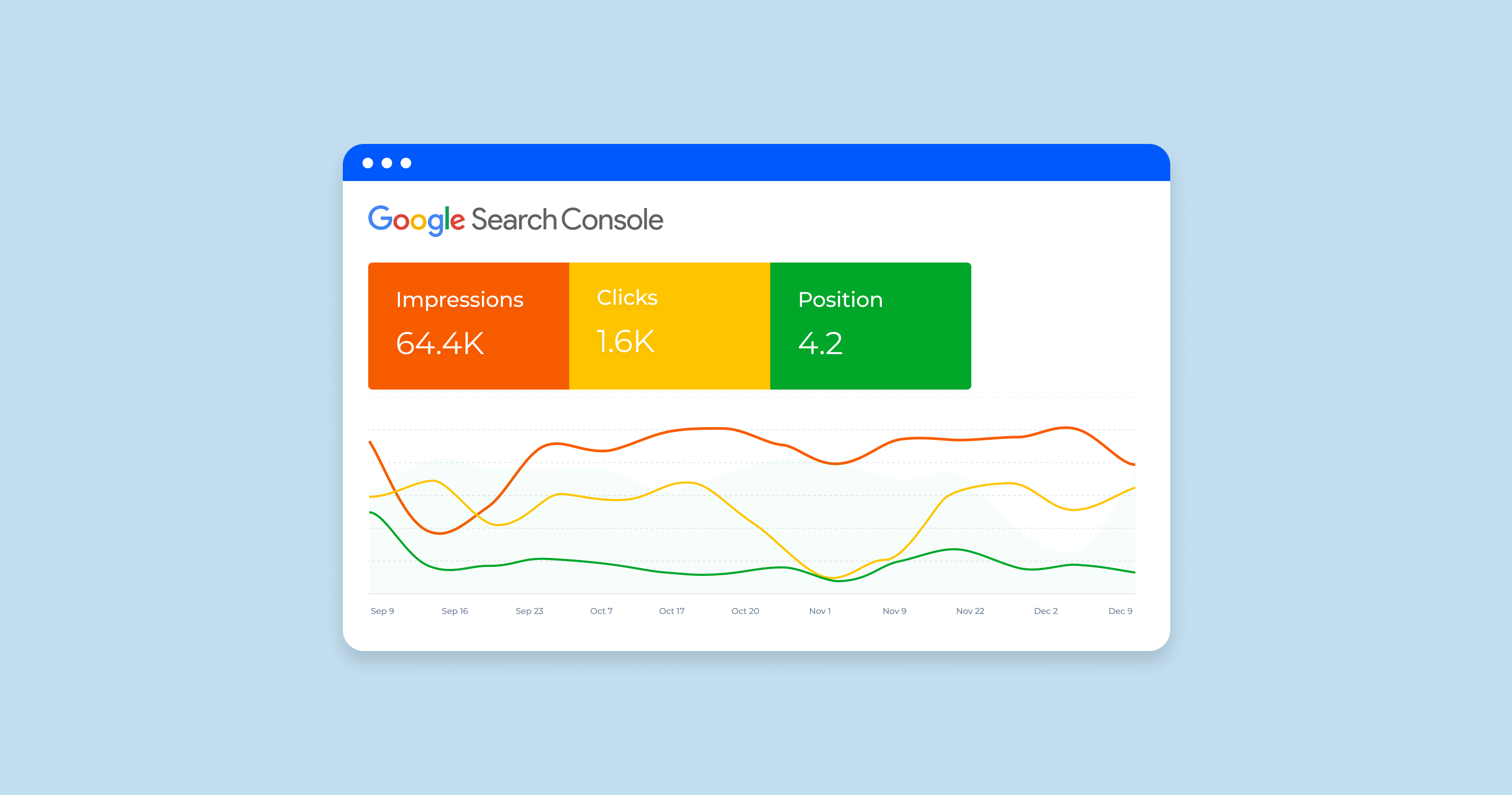
Alt text: "Google Search Console performance report for monitoring Webflow SEO rankings and indexing status"
Common Webflow SEO Mistakes to Avoid
Most Webflow SEO problems are entirely preventable. Here are the ones that consistently hurt rankings.
Missing Meta Tags
Launching pages without unique meta titles and meta descriptions is the single most common mistake. Every page, including every CMS collection item, needs these set individually. Don't let Webflow fall back to the item name as the title.
Duplicate Content from CMS Filters
Webflow CMS category and tag filters can create multiple URL paths to the same content. Set canonical tags on every CMS template to point to the primary URL and prevent Google from splitting your ranking authority across duplicates.
Poor Heading Structure
Using multiple H1 tags or skipping heading levels confuses crawlers and weakens your on-page signal. Your H1 appears once, followed by a logical H2 and H3 hierarchy throughout the page.
Large Unoptimized Images
Images over 500KB consistently hurt your LCP score. Compress before uploading, use WebP format where possible, and always enable lazy loading on images below the fold.
Broken Internal Links After Slug Changes
Every time you update a URL slug in Webflow, set up a 301 redirect immediately. Broken internal linking wastes crawl budget and erases ranking equity from old URLs.
Ignoring Mobile Breakpoints
Designing only for desktop and skipping mobile breakpoint testing is a critical oversight. The mobile version of your site is what Google indexes and ranks.
Publishing Thin or Low-Quality Content
Pages with under 300 words and no keyword focus rarely rank. Use your Webflow CMS to publish detailed, structured content that genuinely matches the search intent behind your target keyword.
Not Updating Old Content
Content decay is real. Pages that ranked well two years ago can slip if competitors publish fresher, more comprehensive versions. Schedule quarterly reviews of your top-ranked pages and update them with new data or sections.
For a companion checklist covering SEO during a full site rebuild, the Website Redesign Checklist: Complete SEO Checklist for Redesigns covers every step in detail.
Final Verdict: How to Optimize Your Webflow Site for SEO in 2026
Optimizing your Webflow site for SEO in 2026 requires a combination of technical improvements, on-page optimization, fast performance, and high-quality content to achieve sustainable organic growth.
No single layer is enough on its own. Your technical SEO setup ensures Google can crawl you. Your on-page optimization ensures Google understands you. Your content strategy ensures Google trusts you. And your page speed ensures Google ranks you above slower competitors.
Beginner vs. Advanced Webflow SEO Priorities
Best for: SaaS companies and tech brands using Webflow who want a complete, scalable SEO system rather than a one-time fix.
Original Insight: Why Webflow SEO Compounds Faster Than WordPress
Webflow's clean semantic HTML output means Google crawlers spend less time parsing bloated markup and more time understanding your content. Combined with Webflow's edge-hosted CDN, a well-optimized Webflow site can reach "good" Core Web Vitals scores faster than equivalent WordPress setups relying on multiple caching plugins. The real SEO advantage isn't just the native tools. It's the architecture.
If you're evaluating whether Webflow or WordPress is the better long-term SEO platform for your business, the Webflow vs WordPress comparison covers how each platform handles SEO at the infrastructure level.
When evaluating a Webflow development partner for SEO-first builds, look for experience combining clean CMS architecture with technical SEO implementation from day one. Pixeto's Webflow work shows what this looks like in practice for SaaS and tech brands.
Bottom line: A Webflow SEO Checklist is not a one-time task. It's an ongoing system that compounds your organic growth month over month when applied consistently.
Key Takeaways
- A Webflow SEO checklist covers six layers: basic settings, on-page SEO, technical SEO, CMS SEO, performance, and tracking
- Set meta titles, meta descriptions, SSL, and XML sitemaps before your site goes live
- Use Webflow CMS with dynamic SEO fields and canonical tags to prevent duplicate content at scale
- Target Core Web Vitals benchmarks: LCP under 2.5s, INP under 200ms, CLS under 0.1
- Connect Google Search Console and GA4, and run a monthly SEO audit to catch issues early
- The most common Webflow SEO mistakes are all preventable: missing meta tags, broken 301 redirects, unoptimized images, and thin content
FAQs
What is the best SEO checklist for Webflow?
The best Webflow SEO Checklist covers six layers in order: foundational settings (SSL, meta titles, XML sitemaps), on-page optimization (heading hierarchy, alt text, internal linking), technical SEO (canonical tags, 301 redirects, structured data), CMS SEO (dynamic meta fields, URL structure, topic clusters), performance (Core Web Vitals, image compression), and tracking via Google Search Console and GA4. Work through each layer sequentially rather than treating it as a flat to-do list.
Is Webflow good for SEO in 2026?
Yes. Webflow outputs clean, semantic HTML, supports full meta tag customization, auto-generates XML sitemaps, and hosts on a fast global CDN. It gives you more granular SEO control than most website builders without requiring plugins. Its architecture also makes achieving strong Core Web Vitals scores easier than comparable WordPress setups.
How do I optimize a Webflow website for SEO?
Start by configuring meta titles, meta descriptions, and URL slugs for every page. Submit your XML sitemap to Google Search Console. Add alt text to every image and compress files before uploading. Set up 301 redirects for any changed URL slugs. Then build your Webflow CMS content with dynamic SEO fields and structured internal linking between related pages.
Does Webflow automatically generate sitemaps?
Yes. Webflow automatically generates an XML sitemap at yourdomain.com/sitemap.xml. You still need to submit it to Google Search Console manually to accelerate indexing. Review the sitemap regularly to confirm all CMS collection pages are included and no .webflow.io staging URLs are accidentally exposed.
How can I improve Webflow page speed?
Compress all images before uploading (WebP format preferred), enable lazy loading on below-the-fold images in Webflow's image settings, reduce heavy scroll-triggered Interactions on mobile, and defer non-critical third-party scripts. Run a Google Lighthouse audit to identify your highest-impact fixes before spending time on lower-priority items.
What are common Webflow SEO mistakes?
The most common are: missing meta tags on CMS collection pages, duplicate content from unmanaged category filter URLs, no 301 redirects after slug changes, large unoptimized images hurting LCP scores, broken internal links after restructuring, and publishing thin content without keyword strategy. Every one of these is preventable with a structured checklist applied at launch.
How do I add meta tags in Webflow?
For static pages, go to Page Settings and fill in the SEO Title and Meta Description fields directly. For CMS pages, add dedicated SEO Title and Meta Description text fields to your collection schema, then map them to the collection template's SEO settings. This ensures every CMS item gets unique, keyword-optimized meta tags automatically rather than inheriting defaults.
Is Webflow better than WordPress for SEO?
Webflow holds a structural SEO advantage: it outputs clean HTML without requiring plugins, loads faster out of the box, and provides granular control over every SEO setting natively. WordPress can match Webflow's SEO performance with the right plugin stack (Yoast or RankMath plus WP Rocket), but it requires more ongoing maintenance. See the full breakdown in Webflow vs WordPress.




.svg)

